
Dell PowerEdge XE9680 Configurations Explained
What actually varies between XE9680 configurations: the eight-accelerator options we supply, why enterprises pay for iDRAC and a single support contract on a GPU node, and the point at which a 2U R760xa is the better purchase.
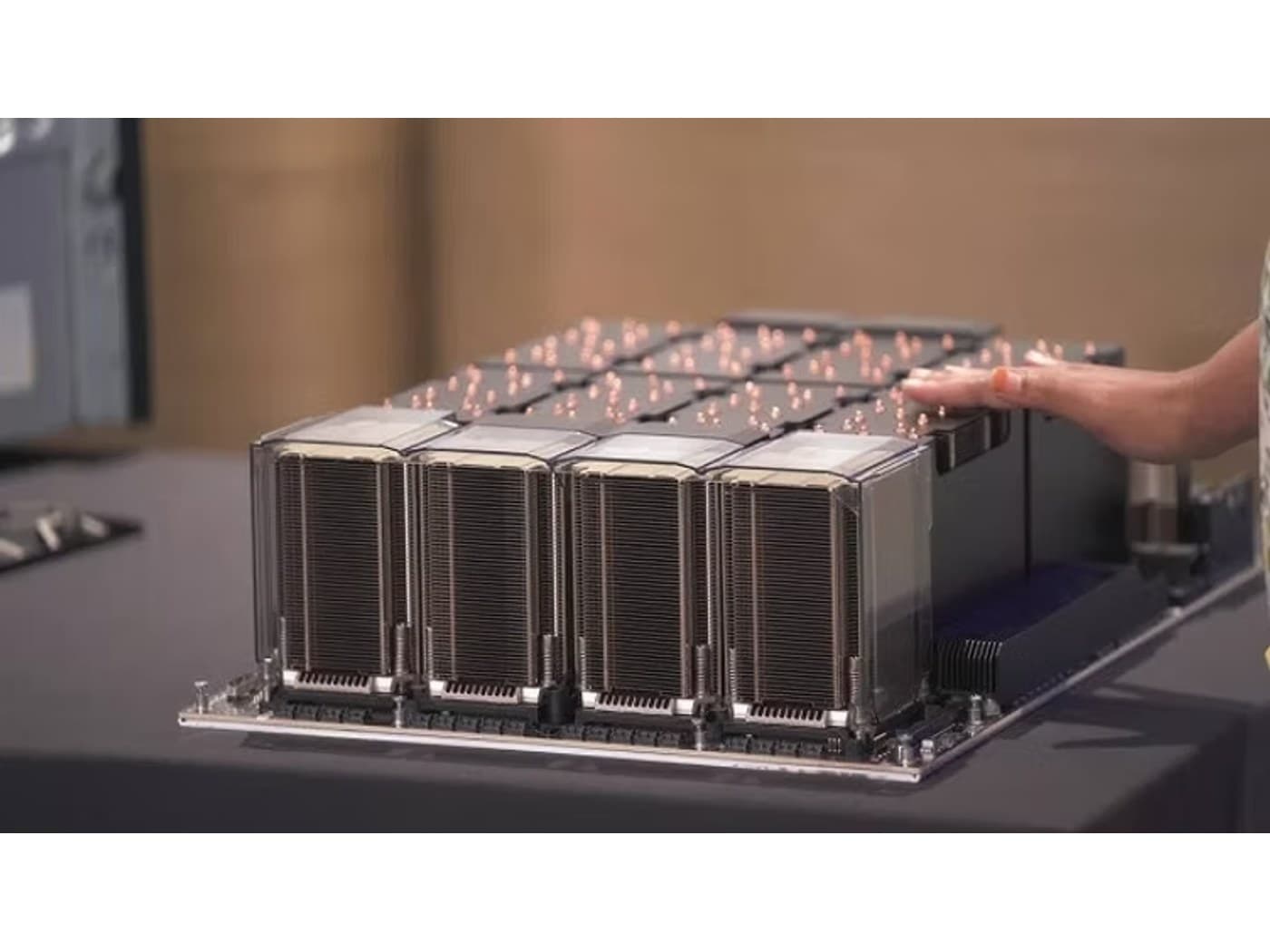
The Dell PowerEdge XE9680 answers a narrow question. It puts eight data-centre accelerators into one chassis that the rest of a Dell estate can manage without anyone learning a new tool. It is a 6U, dual-socket, air-cooled server built around an eight-way accelerator baseboard, and it is the platform most Dell-standardised enterprises end up specifying once AI stops being a pilot. The configuration choices are fewer than the options list suggests. This is what actually varies, and what each variation costs you somewhere else.
What the platform is, underneath the SKU
Every XE9680 shares the same skeleton: two Intel Xeon Scalable processors, 32 DDR5 DIMM slots supporting up to 4TB of ECC memory, front-serviceable NVMe, redundant hot-swap power, and iDRAC9 with Lifecycle Controller for out-of-band management. The eight accelerators sit on a baseboard, not in PCIe slots you populate later. That distinction matters more than anything else on the spec sheet, because the baseboard is chosen at order time and is not a field upgrade to a different accelerator generation. When you buy an XE9680 you are buying a fixed accelerator complex with a serviceable server wrapped around it.
So read a configuration sheet in two parts. The accelerator decision is effectively permanent for the life of the node. The CPU, memory, storage and network decisions are ordinary server decisions you can revisit later. Spend your review time on the first.
The accelerator options we supply on it
Three eight-way configurations cover the XE9680 systems we quote:
- 8x NVIDIA H100 SXM5, 80GB HBM3 each, giving 640GB of pooled GPU memory, linked by NVLink and NVSwitch at 900GB/s GPU-to-GPU. The mature choice, and still the default for mixed training and fine-tuning on a well-established CUDA stack.
- 8x NVIDIA H200 SXM, 141GB HBM3e each, for around 1.1TB pooled, on the same NVLink and NVSwitch fabric and the same 900GB/s GPU-to-GPU interconnect. Architecturally close to the H100 node; the difference is memory capacity and bandwidth per GPU.
- 8x AMD Instinct MI300X OAM, 192GB HBM3 each, for roughly 1.5TB pooled, connected all-to-all by AMD Infinity Fabric. The largest per-GPU memory of the three, on a ROCm software stack rather than CUDA.
Choosing between them is mostly a memory question
For training work at eight GPUs in one NVLink or Infinity Fabric domain, all three configurations behave like a single large accelerator pool, and the honest differentiator is how much of your model, optimiser state and activations fit before you have to shard across nodes. For inference the question is sharper: how many concurrent sessions and how much KV cache fit per GPU, because that sets your served throughput per node and therefore your node count.
The uncomfortable version of this advice is that if your model and its cache already fit comfortably on an H100, the H200 premium buys headroom you may not use, and the MI300X memory advantage buys nothing at all unless your stack runs cleanly on ROCm today. Validate the workload on the platform before you commit at scale, not after. We will quote two of these side by side so the comparison runs on your numbers rather than a vendor's.
What you are actually buying from Dell
An eight-GPU node from a specialist builder can be an excellent machine. Enterprises still choose the XE9680 for reasons that have nothing to do with FLOPS. iDRAC9 puts the GPU node in the same out-of-band management plane as every R660 and R760 in the estate: the same console, the same firmware baseline, the same remote hands procedure at three in the morning. OpenManage Enterprise inventories it alongside everything else. A Dell support contract covers it under the same entitlement checks and the same escalation path as the rest of the fleet.
That is one operational model instead of two, and for a thinly staffed infrastructure team it is frequently the deciding argument. Be clear-eyed about the trade. You are paying for operational sameness, and the technical ceiling of the accelerator complex is set by NVIDIA or AMD, not by Dell. If you have no existing Dell estate and no support relationship to extend, that argument does not apply to you, and you should weigh the alternatives on their merits.
Memory, storage and the front slots
System memory is usually over-specified on GPU nodes and occasionally under-specified in ways that hurt. The platform takes up to 4TB across 32 DIMM slots. The planning heuristic is enough host memory to stage the data the accelerators consume without paging, which for most training pipelines lands well below the maximum. Buy for the data pipeline you have, and populate the channels evenly.
Storage is configurable as up to 16 E3.S NVMe devices or eight 2.5-inch NVMe drives. Local NVMe on this node is scratch space and checkpoint landing zone, not your dataset repository. The dataset belongs on shared storage sized for cluster-wide throughput. Under-sizing local NVMe shows up as slow checkpointing, which quietly lengthens every training run.
The front PCIe Gen5 slots are the part procurement most often gets wrong. The chassis takes up to ten PCIe Gen5 x16 slots plus OCP 3.0. For single-node work, one or two 100GbE adapters is enough. For multi-node training the target is a 1:1 mapping of network adapter to GPU, so eight NDR InfiniBand or 400GbE ports, giving each GPU its own path out of the chassis. Specify that at order time. Retrofitting a rail-optimised fabric onto nodes bought with two NICs means buying adapters, optics and switch ports you did not budget for.
Rack units are not the constraint
Seven of these chassis fit in a 42U rack. You will not put seven in a rack. The XE9680 is provisioned with six 2800W power supplies, and power and heat rejection run out long before rack units do. Many conventional racks are commissioned for a whole-rack budget that one fully loaded node makes serious inroads on.
Three practical checks before the purchase order. First, confirm with facilities what per-rack power you can actually draw and what the room can remove as heat, not what the rack PDU is rated for. Second, check rack depth and rail compatibility, because this is a deep chassis and it does not fit every cabinet already on your floor. Third, check floor loading and the physical handling plan, because a populated node is heavy and someone has to lift it into rails.
The usual outcome of that exercise is fewer nodes per rack than the rack diagram suggested, spread across more racks, with structured cabling planned accordingly. Better to discover that during design than on delivery day. If your facility is already committed to direct liquid cooling, ask for the liquid-cooled path explicitly rather than assuming the air-cooled chassis is the only option.
When the R760xa in 2U is the better fit
The PowerEdge R760xa is a 2U accelerator-optimised platform taking up to four double-width PCIe Gen5 GPUs, with the same dual Xeon architecture, 32 DDR5 DIMM slots, front-serviceable NVMe and the same iDRAC9 management. We configure it with four NVIDIA L40S 48GB for enterprise inference and VDI, and with four H100 NVL 94GB PCIe where an NVLink bridge across GPU pairs is enough interconnect for the job.
Choose the R760xa when the work is inference serving, when jobs fit within one or two GPUs and never need an eight-way NVLink domain, when you want GPU capacity distributed across racks or sites for availability rather than concentrated in one chassis, or when your power envelope per rack simply will not take a 6U eight-GPU node. Three 2U nodes across three racks can be the more resilient and more deployable answer than one dense node, even where raw GPU count favours the larger chassis.
Choose the XE9680 when the model needs the pooled memory and the all-to-all bandwidth of eight accelerators on one baseboard. That is a real and common requirement for training and large-model serving, and PCIe-attached alternatives do not substitute for it.
Questions to settle before the purchase order
- Which accelerator, decided against a validated workload rather than a spec comparison, because it is not changeable later.
- How many network adapters, and whether you are building toward multi-node training that needs one per GPU.
- What your rack can actually power and cool, confirmed by facilities in writing.
- Rack depth, rail kit and floor loading for the specific cabinets you intend to use.
- Whether the workload genuinely needs eight GPUs in one NVLink domain, or whether R760xa nodes serve it better.
- Support term and response level, aligned to the rest of the estate rather than bought separately.
Nexus Compute specifies and sources XE9680 and R760xa systems through authorized channels, with the accelerator, fabric and support term configured before anything is quoted. Send us the model, the context length and your rack power budget, and we will come back with a validated configuration and pricing within 48 business hours, including the answer that the smaller platform is the better purchase when that is what the numbers say.
Systems covered in this article
Planning a hardware investment?
Tell us what you're trying to build. A procurement specialist will help you specify and quote the right configuration within 48 business hours, no obligation.