
Can You Use a Consumer SSD in a Server? PLP, Endurance and Risks
A consumer SSD will run in a server but lacks power-loss protection, steady sustained writes and server endurance. Use enterprise SSDs for production data.
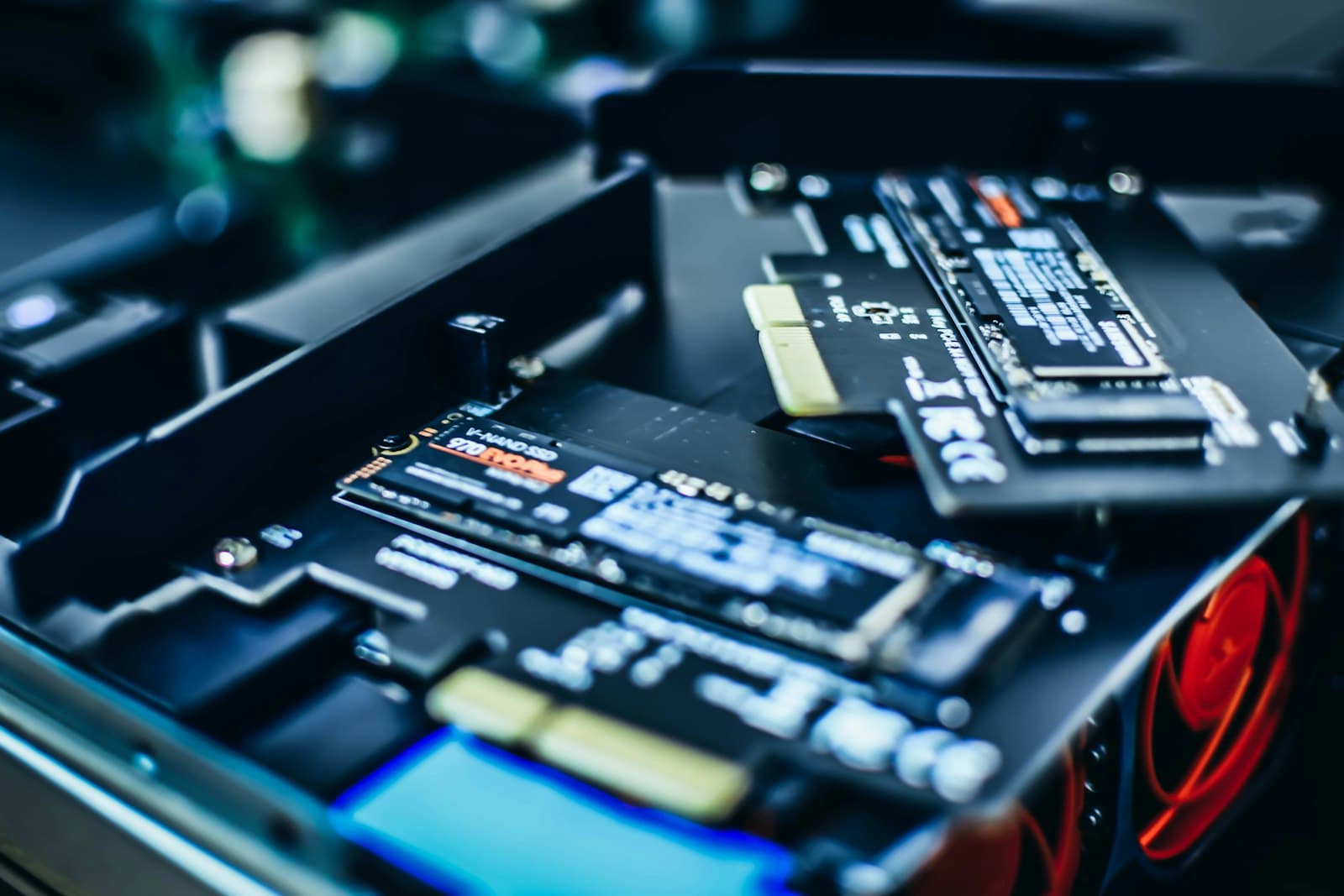
Yes, a consumer NVMe or SATA SSD will usually boot and run in a server. That is exactly what makes it risky: nothing fails on day one. The problems arrive later, under conditions a desktop never sees: a power event in the middle of heavy writes, weeks of sustained load that exhaust the drive's cache, or a write volume that uses up a consumer endurance rating long before the warranty term ends. Enterprise SSDs are engineered around those conditions. Here is what actually differs, where a consumer drive is tolerable, and which enterprise drive replaces the one you were planning to use.
Can I use a consumer NVMe SSD in a server?
Technically yes; for production data, no. The acceptable uses are narrow: a lab or development box, a scratch volume whose contents can be regenerated, or a short-lived test. For anything you would restore from backup if it vanished, including boot volumes on production hypervisors, the saving is not worth the exposure. A server writes continuously, runs around the clock in a hot chassis, and is expected to survive a power loss without corrupting its file systems. A consumer drive is designed for a laptop that idles most of the day, and its firmware, cooling assumptions and warranty all reflect that.
What is power-loss protection on an SSD?
SSDs hold recently written data, and parts of their internal mapping table, in fast volatile memory before committing them to NAND. Power-loss protection is a bank of capacitors on the drive that stores enough energy to flush that in-flight data to flash if power disappears. Without it, a sudden power loss can lose writes the drive has already acknowledged, or in the worst case corrupt the mapping table and leave the drive unreadable.
PLP also changes performance. Databases, ZFS, Ceph and hypervisors issue synchronous writes and cache flushes to guarantee durability. A drive with PLP can safely acknowledge those writes as soon as they reach its protected cache. A drive without PLP has to commit them to NAND first, so sync-heavy workloads can run dramatically slower on a fast consumer drive than its spec sheet suggests. Enterprise drives such as the Samsung PM893 480GB, Micron 5400 PRO 480GB and Samsung PM9A3 960GB are built with power-loss protection.
Why do consumer SSDs slow down under sustained server writes?
Most consumer drives write incoming data to a fast SLC cache, then fold it into TLC or QLC flash in the background. That suits bursty desktop use. In a server, sustained writes fill the cache and throughput falls to the speed of the underlying NAND, which on some QLC models is close to hard drive territory. Consumer firmware is tuned for peak speed, not consistency, and consumer M.2 drives throttle when they run hot outside the airflow of a desktop case. Enterprise drives are specified for steady-state performance and tight tail latency, which is what keeps a database or VM datastore predictable when every drive in a RAID set has to respond on time.
How does consumer SSD endurance compare?
Consumer SSDs rate endurance as total terabytes written, sized for a home or office user. Enterprise drives rate it in drive writes per day (DWPD) across the warranty period, sized for server duty. Even read-intensive enterprise drives are built for sustained writes: the Micron 5400 PRO 480GB is rated 1.5 DWPD. Mixed-use drives such as the Micron 5400 MAX 480GB (SATA) and the Micron 7450 MAX 800GB (NVMe) are rated 3 DWPD, meaning they can absorb their full capacity three times a day, every day, for the warranty term. Read the warranty terms as well. Consumer SSD warranties are written for client use, and the TBW limit or the usage terms can end coverage long before the calendar term if the drive has been running in a server.
What else goes wrong with consumer drives in servers?
- No hot-swap. Consumer NVMe drives are almost always M.2 2280 cards inside the chassis, so replacing one means taking the server down. Enterprise drives come in hot-swappable 2.5-inch SATA, SAS, U.2 and U.3 formats.
- Missing enterprise features. Consumer drives typically lack the end-to-end data path protection and detailed health telemetry that enterprise drives provide, and none are dual-ported.
- Controller and platform support. RAID controllers and server management tools are qualified against enterprise drives. An unrecognized drive may report health incorrectly, raise warnings, or fall outside what the server vendor will support when you open a case.
- Latency spikes inside RAID sets. When one drive stalls during background garbage collection, the whole array waits for it. Enterprise firmware is designed to keep background work from producing those stalls under sustained load.
- Firmware maintenance. Enterprise firmware is validated for server platforms and operating systems; consumer firmware tools are built for desktops and may not run on a server OS at all.
Why do enterprise SSDs cost more than consumer SSDs?
Because they contain hardware, spare flash and validation work that consumer drives leave out:
- Power-loss protection capacitors and the board space to hold them. The longer M.2 22110 format used by enterprise M.2 drives such as the Samsung PM9A3 M.2 gives room for components like these.
- More spare area (overprovisioning) to hold write amplification down and endurance up.
- Controllers and firmware tuned for steady-state performance and consistent latency rather than burst speed.
- Qualification against server platforms, RAID controllers and operating systems.
- Warranty and endurance terms written for 24x7 server duty.
Price also moves with capacity, interface, NAND type and supply. Current pricing is shown on each product page, or request a quote for volume pricing within 48 business hours.
A consumer SSD fails the way a server cannot afford: fine for months, then wrong at the worst moment. Power-loss protection alone justifies the enterprise drive for any data you keep.
Which enterprise SSD replaces the consumer drive you planned to use?
- Boot drive on M.2: the Samsung PM9A3 M.2 960GB or the PM9A3 1.92TB M.2 22110 (MZ1L21T9HCLS-00A07) instead of a consumer 2280 card. Check that the server's M.2 slot accepts the 22110 length.
- 2.5-inch SATA bays: the Samsung PM893 480GB for boot and light roles, up to the PM893 7.68TB (MZ7L37T6HBLA-00A07) for read-heavy capacity.
- U.2 or U.3 NVMe bays: the Samsung PM9A3 960GB (U.2) or Micron 7450 PRO 960GB (U.3), both PCIe 4.0 x4 and rated 1 DWPD.
- Write-heavy roles such as databases, caches and ZFS log devices: the 3 DWPD Micron 7450 MAX 800GB (NVMe) or Micron 5400 MAX 480GB (SATA).
Nexus Compute supplies these drives new, sourced through authorized distribution with the full manufacturer warranty, and checks compatibility against your server before dispatch. Tell us the server model and what the drive will do, and we will recommend the enterprise equivalent. If consumer drives are already running in production servers, replace them in stages: boot volumes and anything handling synchronous writes first, then the rest, watching the wear indicator on each drive in the meantime.
Frequently asked questions
Can I use a consumer NVMe SSD in a server?
It will usually work, but it is not safe for production data. Consumer drives lack power-loss protection, slow down sharply under sustained writes and carry client-grade endurance and warranty terms. Keep them to lab machines and scratch data you can regenerate.
What is power-loss protection on an SSD?
Power-loss protection (PLP) is a set of capacitors on the SSD that holds enough energy to write in-flight data and the drive's mapping table to flash if power fails. It prevents lost or corrupted writes and lets the drive acknowledge synchronous writes quickly, which speeds up databases, ZFS and hypervisors.
Why do enterprise SSDs cost more than consumer SSDs?
Enterprise SSDs include power-loss protection hardware, extra spare flash for endurance, firmware tuned for consistent latency, qualification on server platforms and warranties written for 24x7 use. Price also depends on capacity, interface and NAND type. Current pricing is on each product page or available through request a quote.
Is it OK to use a consumer SSD as a server boot drive?
Not on a production server. Boot volumes take continuous log writes and must survive power events cleanly. An enterprise M.2 drive such as the Samsung PM9A3 M.2, or a mirrored pair of enterprise SATA drives, is the safer choice.
Do consumer SSDs work with hardware RAID controllers?
They often connect, but RAID controllers are qualified against enterprise drives, and a consumer drive may report health inaccurately or fall outside vendor support. Inconsistent latency under sustained writes can also cause a slow drive to hold back the whole array.
Systems covered in this article
Enterprise SSDs
Enterprise SATA, SAS and NVMe drives with power-loss protection.
Enterprise NVMe SSDs
The NVMe alternatives to consumer M.2 drives for servers.
Procurement red flags
How to avoid low-quality hardware in server purchases.
Warranty and support contracts
Why warranty terms matter for 24x7 hardware.
Planning a hardware investment?
Tell us what you're trying to build. A procurement specialist will help you specify and quote the right configuration within 48 business hours, no obligation.