
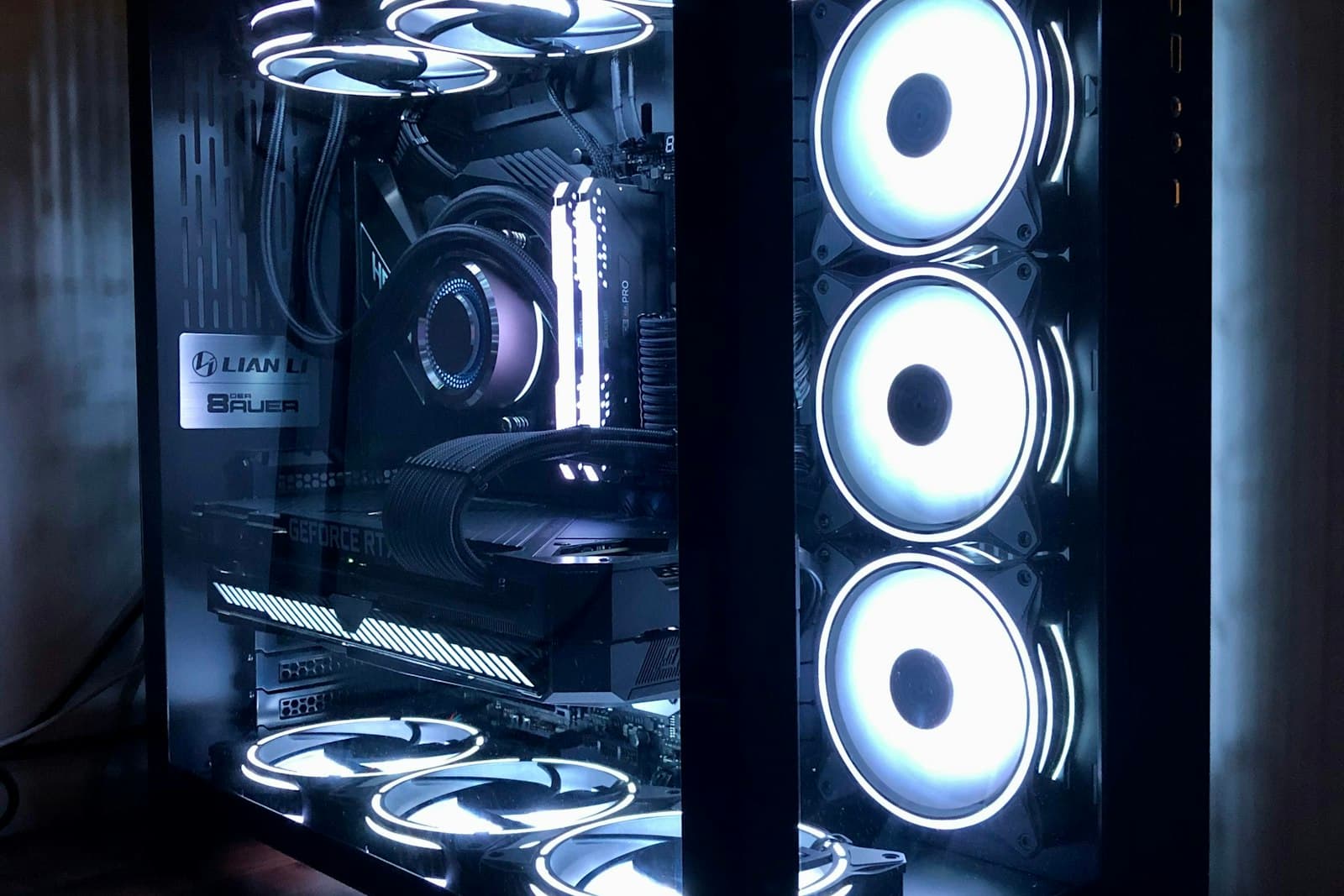
AI Workstation Reliability: Thermals, Power & Warranty That Last
An AI workstation runs hot for hours, not seconds. Cooling, power delivery, ECC, and warranty are what separate a machine that lasts from one that throttles.
AI workloads stress a workstation in a way gaming never does: a fine-tuning run or a batch inference job holds the GPU at full power for hours or days, not seconds. A machine specified for bursty peaks will throttle, become unstable, or wear out early under that sustained load. Reliability is not a feature you add at the end. It is a design decision made across cooling, power, memory, and component selection. This guide covers what actually keeps an AI workstation running, and running for years.
Sustained load is a different problem than peak load
The RTX 5090 and RTX PRO 6000 draw substantial power continuously under AI load, and that power becomes heat that has to be removed continuously. A cooling solution that handles a few-minute spike can saturate after an hour of full-load training, at which point the GPU throttles its clocks to protect itself (quietly costing you performance) or the system becomes unstable. The design target must be hours of sustained full load with thermal headroom to spare, not a benchmark that finishes before the heat builds.
Power delivery is where corners get cut
An under-specified power supply is one of the most common causes of instability in AI workstations, and it is especially dangerous in dual-GPU builds. The power supply needs genuine headroom above the combined sustained draw of the GPUs and the rest of the system, with quality components rated for continuous operation. Skimping here produces intermittent crashes that are maddening to diagnose and that always seem to strike in the middle of a long run.
ECC memory and data integrity over long runs
Reliability is not only about uptime, but about correctness. Over a multi-day training run on a card under constant load, the probability of a memory bit flip is no longer negligible. ECC memory, on both the RTX PRO 6000's VRAM and the system DDR5, detects and corrects those errors instead of letting them silently corrupt a result or crash a job near the finish. For work you cannot afford to redo or cannot afford to get subtly wrong, ECC is part of reliability, not a separate luxury.
Components and assembly that hold up
- A chassis and airflow path designed for the specific GPU configuration and its sustained heat output.
- A power supply with real headroom and quality continuous-duty components.
- Server-grade platform choices (Threadripper PRO, ECC system memory) built for always-on operation.
- Validation under sustained, full-load testing before the machine ships, not just a quick power-on check.
Why warranty and authorized channels matter
Even a well-built machine can have a component fail, and when it does, what matters is how fast you are back to work. Hardware bought through authorized channels carries valid manufacturer warranty; grey-market parts often do not, and a single failure in a machine your team depends on can cost far more than the apparent savings. A workstation backed by a real warranty and validated before delivery is the difference between a brief support call and days of lost productivity.
Nexus Compute configures every AI workstation for sustained AI load (cooling, power, and ECC specified for hours of full-load operation), validates each unit under test before it ships, sources through authorized channels with full warranty, and returns a quote within 48 business hours.
Systems covered in this article
Planning a hardware investment?
Tell us what you're trying to build. A procurement specialist will help you specify and quote the right configuration within 48 business hours, no obligation.